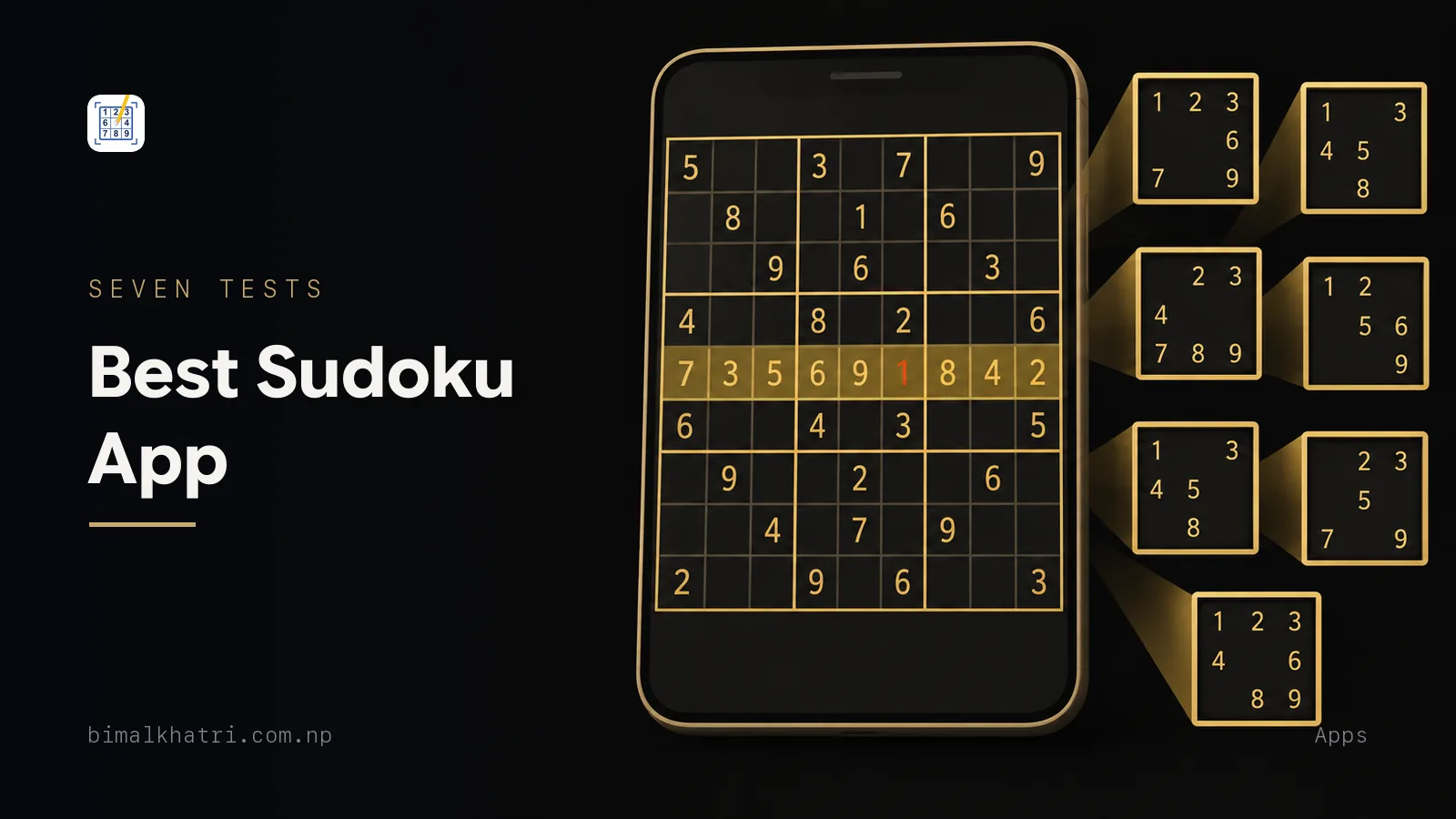
There is no single best Sudoku app, and I am the wrong person to hand you a ranking anyway, because I built one of them. What I can give you is the checklist I run on every Sudoku app I install, mine included. Seven tests, all of them inside the first puzzle, most of them under a minute.
A star average tells you that people enjoyed an app. It cannot tell you whether four pencil marks in one cell are readable at the distance you actually hold your phone, or whether the puzzle the app calls hard needs anything more than scanning. Those two answers decide more than every feature on the listing put together.
So this page names no other app and ranks nothing. A ranking assembled from screenshots is a guess. A test you run on your own phone is not.
Want something to run them on? Sudoku Master is free on both stores, carries 4,000 puzzles that need no connection, and shows no ads while you solve.
The seven tests on one screen
| # | Test | What it tells you |
|---|---|---|
| 1 | Write four pencil marks into one cell | Whether you can read your own notes, and whether the app maintains them |
| 2 | Tap a digit already sitting on the grid | Whether it scans for your eyes, or leaves all of it to you |
| 3 | Enter a digit you know is wrong | Whether the board can be played as guess-and-check |
| 4 | Solve the hardest puzzle it offers | Whether the difficulty labels mean anything |
| 5 | Turn on flight mode | Whether the puzzles live on your phone or on a server |
| 6 | Play one puzzle end to end and watch | Which screens the advertising is allowed onto |
| 7 | Kill the app mid-puzzle and reopen it | Whether it keeps your grid, your notes and your settings |
Run them in that order. Tests 1 to 3 are finished before your first easy grid is, and between them they settle most installs.
Test 1: write four pencil marks into one cell
Switch to note mode, pick any empty cell, and enter 1, 4, 6 and 8. Now hold the phone where you normally hold it. If you have to bring it closer or zoom, every technique above a single is going to be uncomfortable, because those techniques are read off the candidate lists and nothing else.
Then test the half that people forget. Place a digit somewhere and watch the notes.
A cell has twenty peers: the eight others in its row, the eight in its column, and the four left in its box. Place a 7 and all twenty of them lose 7 as a candidate. On paper you strike out those marks by hand, which is slow and is where errors creep in. A screen has no excuse. Look through the settings for something like auto-remove notes when a value is placed. If it is not there, you are doing manual bookkeeping on a device that exists to do bookkeeping.
One caution so you do not expect too much of it. Auto-remove fires on a placement. It does nothing for an elimination you deduced, so a naked pair still costs you the edits by hand in every app. Pencil marks without drowning in them covers when writing the full set is worth it, and naked pairs and triples is the technique that generates the edits nothing can do for you.
Test 2: tap a digit already sitting on the grid
Tap a 7 that is already placed. One of three things happens.
Every other 7 in the grid lights up. Or the row, column and box light up. Or nothing happens at all.
The first two are cross-hatching done for your eyes rather than by them, and they are the single biggest speed difference between two otherwise identical apps. The third is not automatically a fault, but you should know that you have chosen it.
Then check that you can switch it off. Highlighting is training wheels. Useful on a hard grid where you are chasing one digit through nine boxes, and a way to never learn to see the constraint yourself if it is always on.
Test 3: enter a digit you know is wrong
Find a row that already contains a 4 and type a 4 into an empty cell in that row. Watch what the app does.
Three behaviours are common. The digit turns red immediately. A mistake counter ticks up and the game ends at three. Or nothing at all happens until you finish and the app tells you the grid is wrong.
All three are defensible. What is not defensible is an app that does not let you pick, because this setting decides what the puzzle actually is.
Here is why it matters more than it sounds. Instant validation turns a logic puzzle into guess-and-check. Two digits look possible in a cell, you cannot see which, so you tap one and watch the colour. Do that and you have finished the puzzle without solving it. Keep doing it for a month and your completion rate looks excellent while your technique has not moved a step.
A mistake limit is the fix, and it works because it makes an uncertain tap expensive again. Mine ships with game over at 3 mistakes switched on, and you can turn it off. Turning it off is exactly what converts the board into a scratchpad, so know which one you have picked.
Test 4: solve the hardest puzzle it offers
This is the test most people skip and the one that predicts boredom.
Do not count clues. Clue count is not difficulty, and believing it is the most common mistake in Sudoku writing. A 30-clue puzzle can be harder than a 24-clue one. What sets difficulty is the hardest technique the grid forces on you, and how often it forces it. The full ladder is in what makes a Sudoku easy or extreme.
So the test is behavioural. Open the app's hardest grade and solve one. Did you ever have to write a pencil mark? If cross-hatching alone finished it, that app's hard is somebody else's medium, and you will run out of puzzle inside a fortnight.
Here are two grids to show how far apart two labels can sit. Both have 26 givens. Both came out of the same hard set.
......67.
86..1..2.
....9.18.
..3..72..
2..8.4...
65......8
41.5....3
.....89..
7...3....
That one falls over entirely to singles. Every one of its 55 empty cells can be filled by scanning and by naked and hidden singles, with no candidate list written anywhere. It is a pleasant twenty minutes and it will teach you nothing you did not already know.
Now the other one.
......5..
..4....7.
1...78.2.
......6..
23.....58
76...5..2
...3.6...
5..8.7.4.
8...941..
Scan that grid for as long as you like. There is not one hidden single and not one naked single in it. Zero cells. You cannot start it without writing candidates, and once you have written them the first digit costs you five eliminations:
- In box 4, the digit 4 only fits in
r4c1andr4c2. Both sit in row 4, so 4 leavesr4c4,r4c5andr4c9. - That empties the 4 out of the rest of box 6, leaving it in
r5c7andr6c7. Both sit in column 7, so 4 leavesr3c7. - In column 1,
r4c1andr7c1both read{4,9}. A naked pair, so 9 leavesr1c1andr2c1, and both become{3,6}. r1c1andr2c1are now a naked pair in box 1, so 3 and 6 leaver3c3, which becomes{5,9}.r3c2was already{5,9}. Those two cells hold the 5 and the 9 of row 3 between them, so 9 leavesr3c7.
r3c7 started as {3,4,9}. Step 2 removed the 4, step 5 removed the 9, and it
is a 3. Five eliminations across four boxes for one digit, and that is the
opening move.
Both grids carry the same label and the same clue count, and they are a full rung apart. That includes mine, so treat any app's grade as a band rather than a promise, and test the top of the band rather than the middle. Pointing pairs are the technique in steps 1 and 2, if the notation above was new.
Test 5: turn on flight mode
Do this early, before the app has been open long enough to cache anything.
Switch the phone to airplane mode, then try four things: start a new puzzle at each difficulty, resume a saved game, open the statistics screen, and open the daily challenge. Whatever breaks tells you where the puzzles actually live.
An app that fetches grids on demand is no use on a plane, on the metro, in a lift, or anywhere the signal you were relying on turns out not to be there. That is most of the moments when people reach for a Sudoku in the first place.
One diagnostic worth knowing. Time the gap between tapping new game and seeing a grid, once on wifi and once with the aerial off. Puzzles that live on the phone appear at the same speed either way, so any difference at all is something else loading. Offline Sudoku goes through what "works offline" honestly covers and what it usually does not.
Test 6: play one puzzle end to end and watch the ads
This one is a route, not a count. Walk the app the way you are going to walk it in real life and write down where something covered the screen.
Menu, one easy puzzle to the finish, the hint button, statistics, settings, then straight into a second puzzle. Five minutes. Only one entry on that route should end an install on its own, and it is anything sitting over the grid itself. Everywhere else is a question of taste and of how often.
Which placements are worth refusing, what a rewarded video is really trading and what a listing does not have to tell you are a page in themselves: Sudoku apps and ads.
Mine, since I am asking you to audit other people's. Three banners, all on screens you are passing through rather than playing on. One interstitial, on the way out of the scanner. Nothing under the grid, which is the whole of what I mean by no ads while you solve, and the only version of the claim I will make.
Test 7: kill the app mid-puzzle and reopen it
Start a hard grid. Write six pencil marks into it. Note what the timer says. Then swipe the app away from the app switcher, wait a moment, and open it again.
Three things should come back: the grid, the notes, and a timer that carries on rather than restarting from zero. Notes are the one most often dropped, and losing them means losing the ten minutes of deduction that produced them.
A fourth thing almost nobody checks: the settings. If you began the round with the mistake limit at 3, does resuming hand you that round back, or the round the settings screen currently describes? In mine the toggles are captured when a round starts and travel with the saved game, so what you resume is what you left. An app that reapplies current settings to an old game can quietly end a puzzle you were winning.
If it claims a camera
Scanning is the reason a lot of people install anything at all, and it is the feature most likely to be oversold. Photograph a real newspaper grid and check three things.
Where the reading happens. On the device, or uploaded to a server. This is a privacy question and the store's data-safety section is where it gets answered honestly, not the description.
Whether you can correct a digit. Recognition is imperfect on newsprint. A 1 reads as a 7, an 8 reads as a 6, a crease eats a row. An app with no editing step between the photograph and the answer is asking you to trust a camera with 81 cells. Solving a Sudoku from a photo goes through the failures in detail, and scanning with a phone camera covers how to shoot a grid so it reads first time.
What comes back. Almost every solver returns a finished grid and no reasoning. That settles an argument with a newspaper and teaches you nothing, so if you are scanning because you are stuck rather than because you are done, it is the wrong tool. When to use a solver is a real judgement call, and how to take a hint without ruining the puzzle is the version for a grid you still want to finish.
What the store page answers before you install
Most of the boring checks are free, and you can run them without downloading anything.
| Check | Where to look | Why it matters |
|---|---|---|
| Developer name | Under the app title | Popular puzzle apps attract look-alikes with a similar icon and a similar name |
| Last updated | The listing details | An app nobody has touched in three years may break on the next phone release |
| Data safety or privacy | The store's own labels | The one place the developer had to answer under a rule instead of in their own words |
| In-app purchases | The store's purchases label | Tells you where a free app makes its money before you meet it |
| Download size | The listing | A big download often means the puzzles are bundled, which is good news for test 5 |
| Screenshots | Look at the grid, not the marketing | Rendered mock-ups with impossible digit spacing mean nobody photographed a real screen |
| Languages | The listing, then the settings screen | Decides whether you can hand the phone to somebody else in the family |
Install from the store that came with the phone. A puzzle is not worth handing an unknown build the run of your device.
Where my own app lands on the seven
I built Sudoku Master because two things kept needing two different apps: a graded puzzle for ten minutes in a queue, and a way to settle the printed grid I had been arguing with all morning. Since this page is a checklist, here is mine run through it.
| Test | Where it lands |
|---|---|
| Pencil marks | Notes with auto-remove when a value is placed, as a setting you can switch off |
| Highlighting | Highlight the same number, and highlight row, column and box, both optional |
| Wrong digits | Game over at 3 mistakes, on by default, and you can turn it off |
| Difficulty | Four graded sets of 1,000, plus daily, weekly and monthly challenges at every grade |
| Offline | The whole library is in the download, so flight mode changes nothing and there is nothing to sign in to |
| Ads | On the screens around the game, never on it. Test 6 above has the detail |
| Resuming | Grid, notes, timer and the settings the round started with |
One of the seven I cannot run for you, and one thing the seven never ask.
Test 4 is yours. The four grades are fixed sets of a thousand rather than grids generated on the spot, and I think the top of extreme resists. That is my opinion of my own work, and it is worth nothing until you have solved one.
What the seven never ask is which shapes an app deals. This one deals classic 9x9 and no others. Killer cages, jigsaw boxes and 16x16 grids are puzzles the series explains and the app does not play.
The scanner is the last place to set expectations. It hands back a filled grid, not the argument that filled it, so it settles a row with a newspaper and teaches you nothing about the move you were missing.
Common mistakes
Judging by the star rating. It measures enjoyment, which is real, and it says nothing about whether the notes are legible or the hard grade is hard.
Trusting a top ten list. Nothing on the page tells you whether the writer solved a single grid in any of them. Seven tests on two candidates beats a list of twenty every time.
Counting the puzzles. A number in the millions usually means the app generates grids rather than curating them, and generated grids get graded by counting clues, which does not work. Test the top grade instead.
Reading one app's hard as another's hard. No shared scale exists between apps, books or newspapers. Calibrate to one source and start again at the next. Newspaper grades drift the same way.
Keeping an app you never open. If the grid stopped resisting you, the problem is the grade, not the app, and the fix is one difficulty up rather than a new install. How long a Sudoku should take is the sanity check on that.
Questions people ask
Are free Sudoku apps actually free?
Free to play, yes. Free of a business model, no. Something is paying for the servers and the store fee, and the store's own in-app purchases label names it before you install. What matters is not whether ads exist but where the app chooses to put them.
Which Sudoku app works without internet?
Any app that bundles its puzzles rather than downloading them, which you cannot tell from the listing and can tell in ten seconds with airplane mode. Test starting a new grid, resuming an old one, and opening the statistics.
Do Sudoku apps make you better at Sudoku?
They make the bookkeeping cheaper, which is real. Highlighting and auto-removed notes save you clerical work rather than thinking. The habit that stops progress is tapping digits to see which one turns red, and that is a setting rather than a property of screens.
Is there an app that explains the next move?
Some do describe a technique. Most hand back a finished grid and nothing else, and the difference is worth checking before you lean on one. Mine is in the second group, which is a large part of why the technique pages on this site exist.
How do I check a newspaper Sudoku without waiting for tomorrow?
Photograph the grid, correct any digit the camera misreads, and solve. It works well on a flat, well-lit page and badly on a crease. The long version lives at checking a paper answer today.
Which app has the hardest puzzles?
Not answerable from a listing, because grades are internal to whoever made them. Run test 4 on the top grade of any two candidates and you will have a real answer for those two in about twenty minutes.
Is it safe to install a Sudoku app?
The risk is rarely the puzzle. It is the look-alike. Popular titles attract clones that copy the icon, most of the name and half the screenshots, and the one field they cannot copy is the developer line under the title. Read that first, then read the permission list and stop at anything the feature list does not explain.
Should I use an app or paper?
Both, split by task. Paper is better for learning a technique, because the whole grid stays in view and there is no undo. A phone is better for short sessions and repetition. The full comparison is in paper against phone.
Keep reading
- Sudoku apps and ads, for the placements worth refusing and the ones worth ignoring
- Offline Sudoku: playing with no signal and no account, which is test 5 at full length
- Sudoku: the complete guide, the overview, with every technique in the order you meet them
- Sudoku on paper or on a phone, if you have not decided that a screen is where you want to solve
- Scan a Sudoku with your phone camera, for what the camera route does well and where it fails
- How to use a Sudoku hint without ruining the puzzle, the setting that decides whether an app teaches you anything
Get it: Sudoku Master, free on iPhone and Android. The link sends you to whichever store your phone uses, and the seven tests above work on it as well as on anything else.