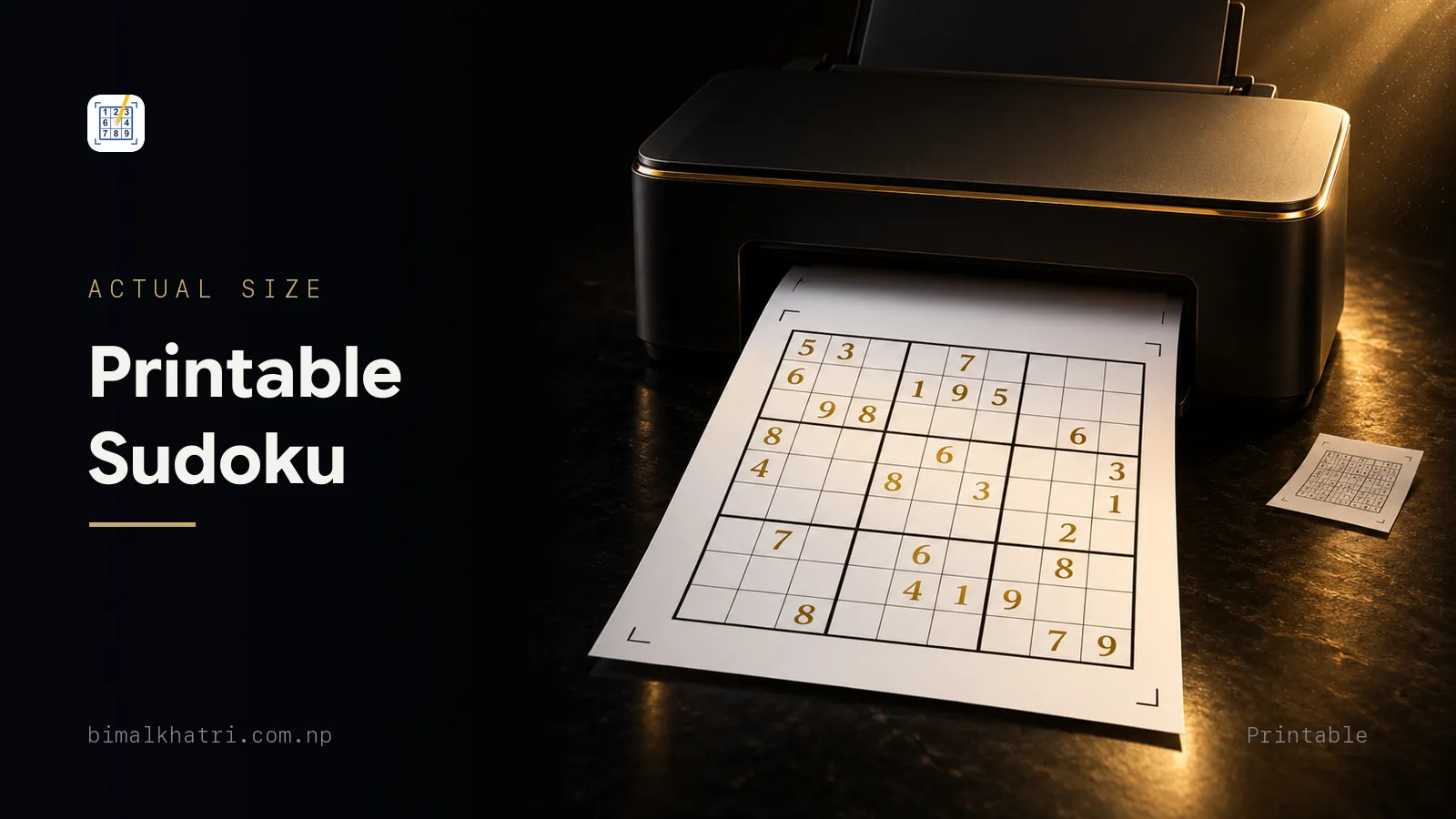
Two settings decide whether a printed Sudoku is worth doing. Set the scale to 100%, which some dialogs call "actual size", and put one puzzle on a page. Do those two things and the grid lands around 17cm across. That is a cell of about 1.8cm.
Get either wrong and you get the thing everybody has printed at least once: four tiny grids on a sheet, cells under a centimetre, a pencil that will not fit and no room at all for candidates. The paper is not the problem. The print dialog is.
The test afterwards takes ten seconds. Measure the whole grid with a ruler and divide by nine. Under 1cm and the sheet is not worth your pencil. Around 1.5cm is comfortable. At 1.8cm you can write four candidates into a corner and still read them.
Printed a stack with no answer key? Point Sudoku Master at the puzzle and it solves the grid on the phone itself, so a sheet that came without answers still has one. Free.
Cell size is the whole game
Work backwards from the cell. A4 paper is 210mm wide and 297mm tall. US Letter is 216mm wide and 279mm tall. Take 15mm of margin off each side of either and you have about 180mm of usable width, so a grid that fills the width gives cells of roughly 2cm.
Now divide that space up and watch what it costs.
| Puzzles on the sheet | Roughly what one cell measures | What you can do in it |
|---|---|---|
| 1 | 1.8cm | Write a digit, pencil in four candidates, rub one out without smearing its neighbour |
| 2 | 1.3cm | A digit, and two or three cramped candidate marks |
| 4 | 0.9cm | A digit. Nothing else |
| 6 | 0.8cm | A digit, if your pencil is sharp and your eyes are good |
Nothing else on the page moves those numbers much. A decorative border steals width. A title, a difficulty label and a puzzle number cost a centimetre or two of height, which only matters when you are stacking two grids.
So the honest rule is one puzzle per page. Six-up sheets exist to save paper, and they do, at the cost of the puzzle. If ink is the worry, print in greyscale and keep the size.
There is one case for two-up: a puzzle you intend to solve twice, or a second copy to hand somebody else. Print the same grid twice on one sheet and cut it in half, and each half still holds a 1.3cm cell because the width never changed.
The print dialog, setting by setting
The defaults are tuned for photos and documents, not for a square you have to write inside. Six of them are worth changing.
| Setting | Set it to | Why |
|---|---|---|
| Scale | 100%, or "actual size" | "Fit to page" and "shrink to printable area" both trim the grid to clear the printer's hardware margin, and that is a few percent you paid for in cell width |
| Pages per sheet | 1 | This is the multi-up setting, and it is the single fastest way to ruin a printable |
| Paper size | Whatever the file was made for | A mismatch here is what triggers the automatic shrink, even when scale says 100% |
| Margins | Minimum, or none | Every millimetre of margin you give back goes into the grid |
| Colour | Greyscale or black and white | Grids are black lines on white. Colour ink adds nothing and costs money |
| Quality | Normal, not draft or eco | Draft mode breaks up thin cell lines into dashes, and a broken box border hides half the rules |
Two more that only appear sometimes. Turn double-sided printing off, because a puzzle on the back means you cannot tear one sheet out of the stack without losing another. And if the dialog offers a custom scale, it is the fix for a source that prints small. A file whose grid comes out at 14cm has room to go to 125%, which is a 17.5cm grid and cells just under 2cm. Print one and measure before you commit to that.
A4, Letter, and the shrink nobody asks for
Most printable Sudoku files on the internet are laid out for US Letter. Most printers outside North America are loaded with A4. The two are close enough to look interchangeable and different enough to cost you.
Letter is 6mm wider than A4 and 18mm shorter. Print a Letter file on A4 with "fit to page" and the whole layout scales to about 97% so the width fits. Print an A4 file on Letter and it scales to about 94%, because the height is what runs out. A 1.8cm cell becomes 1.75cm or 1.69cm. On its own that is survivable. Stack it on top of a shrink-to-printable-area default and a two-up layout and you are down to a cell you cannot use.
The fix is to name the paper. Set the paper size in the dialog to match the file, set scale to 100%, and if the preview then clips something, cut the margins rather than the scale. Grids very rarely clip, because the white space around them is generous.
When you are not sure, print to PDF first. Every phone and computer can do it, it costs nothing, and the preview shows exactly what will come out of the tray. Open the PDF, check the grid is one to a page and sitting square, then send that file to the printer.
Printing a web page rather than a PDF
Plenty of printable puzzles are web pages, not files, and browsers print them badly by default.
- Use the site's own print button if it has one. It usually loads a layout built for paper, without the navigation and the sidebar.
- Turn off headers and footers. Otherwise the sheet arrives stamped with a URL, a page number and today's date, and the grid shrinks to make room.
- Turn background graphics on. Some grids draw their heavier box borders as background shading, and with backgrounds off those borders vanish. You end up with 81 identical squares and no boxes.
- Print to PDF first, then look at it. Browsers reflow for print in ways the screen does not show you.
- Check the scale number. Browser print dialogs often start at a fit setting that shrinks everything to keep a wide page on the sheet.
From a phone the controls are thinner. Both AirPrint and the Android print service will show you a preview, but neither reliably gives you a scale box or a margin setting. If the preview looks small, save the file to your phone, then print it from a computer where the full dialog exists. On the same phone you can also just play the puzzle, which is a real answer rather than a joke: an honest comparison of paper and screen has where each one wins.
Paper, ink and the lines themselves
Plain 80gsm copier paper is right. Not glossy photo paper, which throws the lamp back at you exactly where you are looking, and not thin 60gsm, which lets the grid on the next sheet show through and takes a hole when you rub out.
Three things about the printed lines matter more than people expect.
Box borders must be visibly heavier than cell lines. Half the rules of Sudoku are about the nine 3x3 boxes. A grid printed with every line at the same weight has hidden half the constraint, and you will spend the puzzle counting across in threes to work out where box 5 ends.
Given digits should be black, not grey. Grey looks tasteful in a preview and disappears under a reading lamp. If your source prints them grey, there is nothing you can do in the dialog about it, so find another source.
Thin lines and draft mode do not mix. A 0.3pt cell line printed in eco mode comes out as a dotted suggestion. Print grids at normal quality even when you print everything else in draft.
If the cells still come out too small for candidates after all of that, you have a choice between a bigger grid and a different method. Scanning for one digit at a time needs no written marks at all, and it carries an easy puzzle to the end on its own. The point at which you need to write things down, and how to write as little as possible, is covered in pencil marks without drowning in them. For eyes that want the grid bigger still, large print and what it really means starts from the same ruler test.
Judging a printable source before you print forty
Printable Sudoku is everywhere and the quality is uneven. Six checks sort it out, and all six can be run on one test sheet.
- One puzzle per page in the source itself. A four-up PDF cannot be rescued by the print dialog.
- A PDF rather than a JPG or a PNG. An image is fixed at whatever resolution it was saved, so scaling it up gives you soft, furry lines. A PDF scales cleanly to any size.
- Heavier box borders. Look at the preview at full zoom.
- No decorative frame. Everything in that border was taken from the cells.
- An answer key, ideally on its own page. A key printed under the puzzle is a key you have already read.
- A puzzle that is actually solvable. This is the one people skip.
That last check deserves its own minute. A properly formed Sudoku has exactly one solution, and that is what makes it a puzzle rather than a grid with digits scattered on it. Weak generators sometimes emit puzzles with two, and a puzzle with two solutions cannot be finished by logic at all. You will reach a point where nothing follows and no technique helps, which feels exactly like being stuck and is not the same thing. If you find yourself needing to guess, either the puzzle is broken or there is a technique you have not met yet, and solving without guessing tells the two apart.
So solve one puzzle from a new source before you print a batch from it. Thirty seconds of dialog checking and one solved grid will save you a ream.
Ignore the difficulty label while you are at it, or at least do not carry it to the next site. There is no shared scale, so one site's "hard" and another's "medium" can be the same grid and neither label is lying. Print a few from one source, learn where its grades sit against your own solving, and start that calibration again the day you switch source. What actually makes a Sudoku easy, medium or hard explains what the word on the sheet is standing in for.
Answer keys, and where to put them
The best place for a key is a separate sheet at the back of the stack, face down. Second best is the bottom third of the same page, so you can fold it under. Worst is directly beside the grid, where your eye will find it by accident somewhere around the fourth stubborn cell.
You do not strictly need one. A finished Sudoku carries its own proof: if every row, every column and every box holds 1 to 9 once each, and every printed clue is still where the paper put it, your grid is the answer. It cannot be a different answer, because the puzzle only has one. That check is 27 small tests and it takes about a minute, and the full method, including the one kind of mistake that survives most of it, is in checking a Sudoku answer without waiting a day.
I built Sudoku Master partly around this job, because the puzzle I wanted checked was always on paper and never on a screen. A fresh printout is the easy case for it. Flat sheet, black digits, no fold across the middle and nothing bleeding through from the back. Recognition is still not perfect, so any digit it misreads can be tapped and fixed before it solves. Two limits worth saying out loud. It hands back the finished grid, not an account of how yours should have gone. And it plays the classic nine by nine only, with no ads while you solve. The lighting and framing that decide whether a photo reads at all are in scanning a Sudoku with your phone.
A puzzle to test your printer on
Print this section, measure a cell, and you will know your settings are right. Thirty givens, one solution, verified.
3 . . . 5 . . . 2
. 5 . . 9 . 4 . .
. . . . 3 6 . . .
4 . . . . . . . 9
. . 1 9 . 7 2 . .
2 7 9 . . . 1 4 .
8 . . . . . . 1 6
. 1 . . 7 5 8 2 .
. . 5 . 8 1 . . .
Rows are numbered 1 to 9 from the top and columns 1 to 9 from the left, so r6c5 is row 6, column 5. That cell is the opening move. Row 6 already holds 2, 7, 9, 1 and 4. Column 5 holds 5, 9, 3, 7 and 8. Box 5, the middle box, holds the 9 at r5c4 and the 7 at r5c6. Cross all of those off and one digit is left standing: r6c5 is a 6. The rest opens up from there.
The solution is below. Fold the page, or stop reading here.
3 9 6 1 5 4 7 8 2
1 5 2 7 9 8 4 6 3
7 8 4 2 3 6 9 5 1
4 3 8 5 1 2 6 7 9
5 6 1 9 4 7 2 3 8
2 7 9 8 6 3 1 4 5
8 4 7 3 2 9 5 1 6
9 1 3 6 7 5 8 2 4
6 2 5 4 8 1 3 9 7
Printing a month at a time
If the point is to have a puzzle waiting at breakfast, print the batch the way you will use it.
- Thirty sheets, single-sided, one puzzle each. Single-sided is what lets you tear one off and take it with you.
- Keys in a separate stack, clipped together and put somewhere that is not the puzzle pile.
- Number the sheets in the corner as they come off the tray, so a finished one and a fresh one never end up in the same order again.
- Ramp the difficulty across the month rather than printing thirty of the same grade. Ten easy, ten medium, ten hard is a better month than thirty mediums.
- Write the date on the one you start, if you want to know later whether you are getting faster. A stack with dates on it is a record.
Two small habits that make a printed stack better than an app for some people. Leave the current sheet out on the table rather than filing it, because a grid picked up again after lunch is the same grid, and nothing in Sudoku says you have to finish in one sitting. And keep a soft pencil with it. A B or 2B makes a dark mark with less pressure than an HB, which means candidates that rub out cleanly instead of ghosting.
Questions people ask
Where can I get free printable Sudoku puzzles?
Free sheets are everywhere, so the search is not the hard part and the source is. Run the six checks above on one test page before you print anything in bulk from somewhere new. The check people skip is the last one: solve that test puzzle yourself, all the way to the end.
Can I print Sudoku puzzles from my phone?
Yes, through AirPrint on an iPhone or the Android print service, but you lose the scale and margin controls that decide cell size. Save the file first and check the preview. If it looks small, send it to a computer and print it from the full dialog there.
Do printable Sudoku puzzles come with an answer key?
Usually, though not always on a separate page, which is the bit that matters. If the key sits under the grid, fold the sheet before you start. And a key is not required to check your work: a completed grid with no repeated digit in any row, column or box, still carrying every printed clue, is the solution.
Are free printable Sudoku puzzles always solvable?
No. A grid with two valid completions is broken rather than hard, and weak generators emit them. Solve one puzzle from a new source before you trust the rest of the file. If a grid ever forces a guess, either the puzzle is faulty or the technique is one you have not met, and those two are worth telling apart.
Is printing Sudoku cheaper than buying a book?
Per puzzle, printing usually wins on price and always wins on size, because you choose the scale. A book wins on convenience and on not needing a printer, and a spiral-bound one lies flat while a printed sheet needs nothing at all. The real argument for printing is control: you pick the difficulty, the cell size and how many you take with you.
What paper should I print Sudoku on?
Plain 80gsm copier paper, matte. Glossy stock throws the lamp back at the exact cell you are reading. Anything much thinner ghosts the next grid through and tears under a rubber. Card is the same mistake from the other end: it prints beautifully and will not fold into a pocket.
Why do the lines on my printed grid look broken?
Draft or eco mode. Grid lines are thin, and low-ink printing turns a thin line into a dotted one. Print grids at normal quality. If the heavier box borders are missing rather than broken, and you printed from a browser, turn background graphics on in the print dialog.
Can I print the same Sudoku twice and solve it again?
Yes, and it is more useful than it sounds. Solving a grid a second time a few weeks later shows you which moves you actually see now, rather than which ones you remember. Printing two copies of the same puzzle on one sheet and cutting it in half costs you no cell size at all, since the width never changed.
Keep reading
- Sudoku on paper or on a phone, an honest look at where each one beats the other
- Large print Sudoku, if the cell size on every sheet you have tried is still too small
- How to check a Sudoku answer, for the 27-test sweep that replaces a lost key
- The complete Sudoku guide, for how all of this fits together
- What makes a Sudoku easy, medium or hard, so a difficulty label on a printable means something to you
- Scanning a printed grid with your phone, for the days the sheet wins and you want the answer anyway
Get it: Sudoku Master, free on iPhone and Android. The link sends you to whichever store your phone uses.