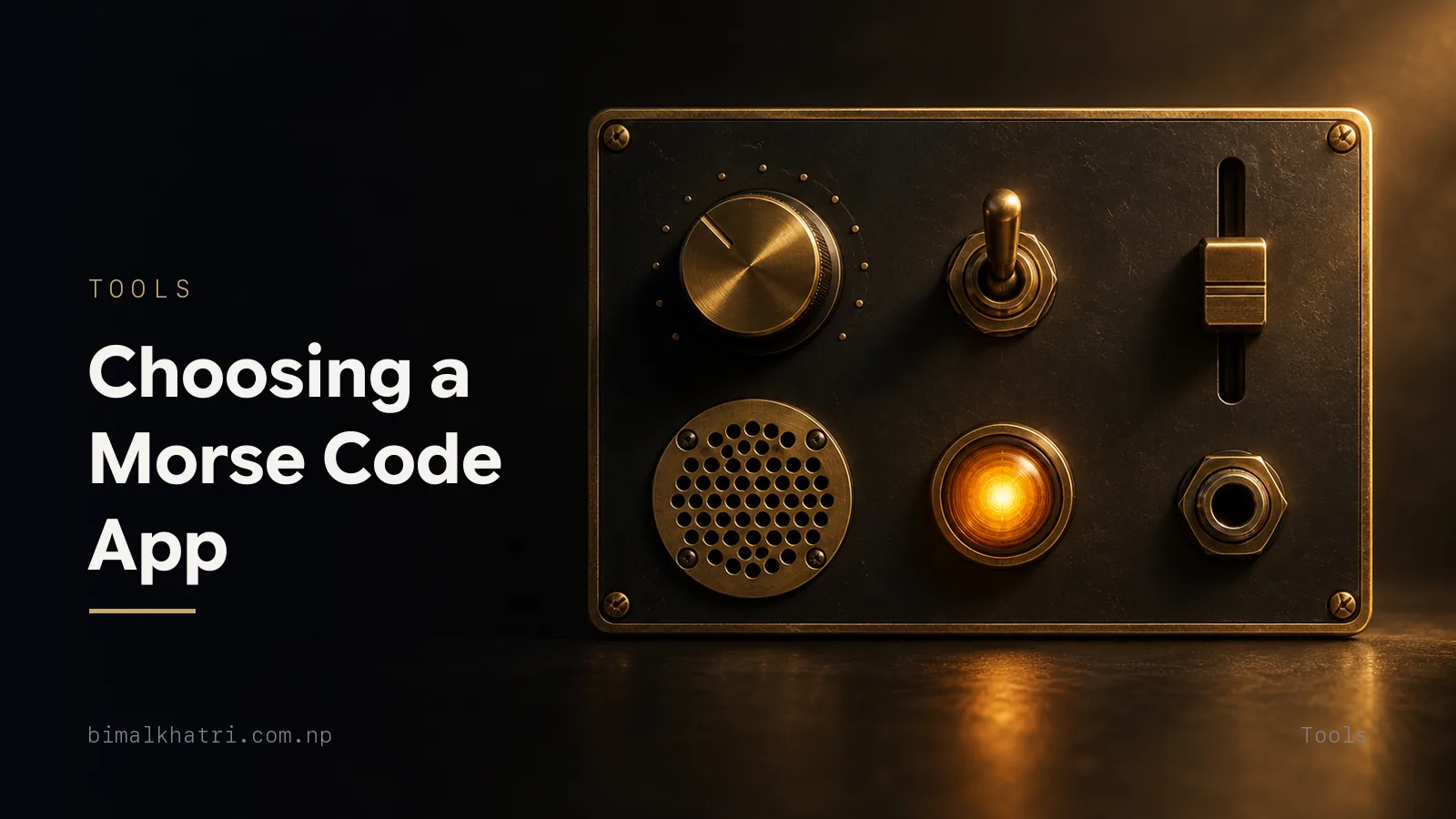
There is no single best Morse code app, because "Morse app" covers five separate jobs: writing the code, sending it, reading what someone else sent, learning to copy it by ear, and looking things up. An app that is excellent at one is often useless at another. Decide which job you want and the shortlist shrinks by itself.
After that, six checkable features separate a useful app from a novelty: a speed you can set in words per minute, playback as tone, light and vibration, a translator whose output you can copy and paste, learning that adds one character at a time with adjustable spacing, full offline operation, and permissions that match the features. Every one of those can be tested in about five minutes on your own phone, before you commit to anything.
I build one of these apps myself, so read this as informed and interested. It is also why none of what follows is a ranking. Each point is a test you can run on any app in the store, mine included, and the answer is the same whoever wrote it.
Try it with your ears. MorseLab plays any text back as tone, flash or vibration, free and offline.
Five jobs, and which one you actually want
Store listings blur these together, so people install a translator, discover it will not teach them anything, and give up. Find your row first.
| What you want | The feature to look for | Bad sign |
|---|---|---|
| Write a message in Morse to copy or post | Two-way text translator with plain-text output | Output you cannot select or copy |
| Send a message across a room, a field or the dark | Tone, flashlight, screen flash and vibration playback with a WPM setting | One speed, no numbers |
| Read a beep someone else is sending | Live audio decoding through the microphone | Nothing at all — the feature is often missing |
| Learn to hear the code without reading it | Lessons that add one character at a time, with drills and scoring | A chart and a quiz, nothing more |
| Look things up | Chart, prosigns, Q-codes, NATO alphabet | Letters only, no digits or punctuation |
Most people arriving from a search want row one or row two. If you want row four, know that a translator will never get you there. Reading dots and hearing them are different skills, and only the second takes weeks.
The five-minute test
Install anything, run these six checks, and you will know more than any list of star ratings can tell you.
1. Type HELLO WORLD. The output should be exactly this, with one space between letters and a slash between words:
.... . .-.. .-.. --- / .-- --- .-. .-.. -..2. Copy that output and paste it somewhere else. Into a notes app, a chat, a search box, anywhere. If what lands is dots and hyphens off a normal keyboard, good. If it lands as typographic bullets or en dashes, the app has prettified the code and broken it. Those characters look almost identical and no decoder will accept them. It is the quickest check here, and the easiest to skip.
3. Paste Morse back in and see if it round-trips. Try a string with digits and punctuation, since plenty of tools handle only the 26 letters:
.... . .-.. .-.. --- / .-- --- .-. .-.. -.. / ..--- ----- ..--- -....That reads HELLO WORLD 2026. Then try punctuation:
.-- .... .- - ..--.. / -.-- . ... -.-.--That is WHAT? YES! — the question mark is ..--.. and the exclamation mark is
-.-.--. An app that drops them silently is telling you what else it will drop.
4. Look for a WPM number. Not "slow, medium, fast". Words per minute, typed in or shown on the slider. Without it you cannot practise at a target speed, or check the proportions at all.
5. Send SOS and watch what it does. More on this below, because it is the sharpest single test of whether the author understood the code.
6. Turn off wifi and mobile data, then use it. A code whose whole purpose is getting a message through when nothing else works should not need a network to show you a chart. If it stalls, it was a web page in a wrapper.
The SOS test
Type SOS as a message and the app should show three separate letters:
... --- ...Now find the emergency or beacon feature. What it sends should be the prosign, which is the same nine elements run together with no gaps between letters:
...---...That difference is real. A prosign is one symbol, sent unbroken, and the three-dot three-dash three-dot pattern was chosen because it is unmistakable in noise and easy to send by hand. It does not stand for "Save Our Souls" or "Save Our Ship": those were invented afterwards, and a store description that repeats them tells you the author read a listicle rather than the standard. There is more in SOS in Morse code.
Timing is the feature that is either right or wrong
Everything in Morse is measured in units, where one unit is the length of a dot. This is not a style choice. It is the specification.
| Element | Units |
|---|---|
| Dot | 1 |
| Dash | 3 |
| Gap inside a character | 1 |
| Gap between characters | 3 |
| Gap between words | 7 |
A dash is exactly three times a dot, never "a bit longer". Get that ratio wrong and the code stops being readable by ear at any speed, which is the whole point of it.
Speed comes from one piece of arithmetic:
Dot length in seconds = 1.2 ÷ WPM.
| WPM | Dot | Dash | Gap between words |
|---|---|---|---|
| 5 | 240 ms | 720 ms | 1,680 ms |
| 12 | 100 ms | 300 ms | 700 ms |
| 20 | 60 ms | 180 ms | 420 ms |
| 25 | 48 ms | 144 ms | 336 ms |
You can check an app against that with a stopwatch, and it takes half a minute. Speed is quoted against the reference word PARIS:
.--. .- .-. .. ...PARIS is exactly 50 units long counting the word gap after it, which is why it was chosen. So at 20 WPM one PARIS takes 50 × 60 ms = 3.00 seconds, and ten of them take 30 seconds. At 12 WPM one takes 5.00 seconds. Set the app to 20 WPM, send PARIS ten times, and time it. If you get 30 seconds, the timing engine is honest. If you get 24 or 40, the WPM label is decorative and every speed target you set later will be wrong.
The full working is in Morse code timing and WPM.
What a learning app has to get right
Two names come up constantly, and they are almost always described as rivals. They are not.
Koch is about which characters you learn and when. You start with two,
commonly K -.- and M --, sent at your full target speed from the first
minute. You add one more character only once you copy the current set at 90%
accuracy. The speed never drops, so you never have to unlearn a slow habit.
Farnsworth is about silence. Each character is sent at full speed, but the gaps between characters and words are stretched, giving you thinking time without distorting the rhythm inside a letter.
They change different variables, so they stack. Koch decides the order, Farnsworth decides the spacing, and using both together is the normal recommendation. An app offering "Koch mode or Farnsworth mode" as a switch has misunderstood the two. What you want instead is a lesson list that adds characters one at a time plus two separate speed controls: character speed and effective speed. Character speed 20 WPM with effective speed 8 WPM is a common starting pair.
| Setting | What it controls | Sensible beginner value |
|---|---|---|
| Character speed | How fast each letter is sent | 18 to 20 WPM |
| Effective speed | How much silence sits between letters | 5 to 10 WPM |
| Character set | How many letters are in play | Start at 2, add at 90% |
| Session length | How long a drill runs | 5 to 15 minutes |
Two more things worth checking. Does it score you per character, so you can see that H and 5 are the two you keep confusing? And does it hand you fresh random groups rather than the same practice text, which you will memorise within a week?
Be wary of any promise about how fast you will learn. You can memorise the whole chart in an afternoon. Copying by ear is motor learning and needs weeks of short daily sessions with sleep in between. An app that claims fluency in a day is describing the chart, not the skill, and the honest answer is worth reading before you pay for anything.
The input side: microphone and camera
Sending is easy. Reading what somebody else sent is the hard half, and it is where apps differ most.
Live audio decoding listens through the microphone and prints the text. When it works it feels like magic, and it is genuinely useful for checking your own sending. Be realistic about the limits: it needs a reasonably clean tone, a steady speed and not much background noise. Hand-sent Morse with sloppy spacing defeats software long before it defeats a human ear, because a person hears the rhythm and forgives the wobble. Test it by playing a tone from one phone into another. If it prints the text back, the decoder is real. There is more on how this works in Morse code decoder: turning a beep back into words.
Camera scanning points at printed text and converts it. Useful for a page of a book, a sign or a note. Understand what it is doing: it recognises printed letters and turns them into Morse, which is a different task from reading handwritten dots and dashes off paper.
Light decoding is the one almost nobody has. Reading a blinking torch back into text through a camera is much harder than reading sound, so assume it is not there. The practical workaround is to film the light and replay it slowly.
The output side: tone, light and vibration
Text on a screen is half the job. Morse exists to cross a gap, and the gap decides the channel.
| Channel | Where it works | Watch for |
|---|---|---|
| Tone | Same room, practice, into another phone's microphone | An adjustable pitch; around 600 to 700 Hz is comfortable |
| Flashlight | Outdoors, at night, hundreds of metres | LED lag at high speeds — send light slowly |
| Screen flash | Close range, indoors, wide soft source | Brightness locked to maximum while sending |
| Vibration | Silence, a pocket, a noisy room, low vision | Whether long and short buzzes are clearly different |
Flashlight sending has a physical limit worth knowing: an LED takes time to rise and fall, so above roughly 10 WPM the dots start to smear into the dashes. Any app that lets you push the torch to 25 WPM without warning you is not lying, exactly, but nobody at the other end will read it. The details are in sending Morse with a phone flashlight and tapping, knocking and vibration.
I built MorseLab because doing these jobs meant carrying three or four apps, and none of them worked on a plane or in a valley. It translates both directions and plays the result as tone, flashlight, full-screen flash or vibration, with an SOS beacon that sends the prosign unbroken. It decodes live Morse audio through the microphone and scans printed text with the camera. The learning side uses Koch lessons that add one character at a time, with drills, games, quizzes and streaks, and it carries the full chart, prosigns, Q-codes, the NATO phonetic alphabet and an interactive Morse tree. It runs offline with no account, in 16 languages. Test it with the same six checks as everything else.
Offline, accounts, ads and permissions
Morse is the code you reach for when the infrastructure is gone. An app that needs a login to show you the letter K has the wrong idea of what it is for.
Permissions are the fastest way to judge intent, because each real feature needs exactly one and nothing else.
| Permission | The feature that needs it | If it asks without that feature |
|---|---|---|
| Microphone | Decoding live Morse audio | Ask why |
| Camera | Scanning printed text, and the torch on some Android builds | Ask why |
| Vibration | Haptic playback | Harmless, but should match a feature |
| Notifications | Practice reminders, at most | Optional, never required |
| Location, contacts, phone | Nothing in Morse | Uninstall |
On ads: a banner at the edge of a chart is fair. An ad that covers the send button, or a full-screen video that fires while a beacon is running, is not.
Common mistakes
- Judging by the icon and the star count. Ratings measure how many people installed a novelty and enjoyed it for a day. They say nothing about whether the timing ratio is correct.
- Picking a translator when you wanted a trainer. Reading dots off a screen builds no ability to hear them. Different skill, different app.
- Ignoring the copy-paste test. Prettified dots look identical to real ones and break every decoder you paste them into.
- Trusting a speed label with no number. "Fast" is not a unit.
- Treating Koch and Farnsworth as an either-or choice. They control different things and belong together. There is a full explanation in Koch vs Farnsworth.
- Believing an app that promises fluency in a day. It is describing chart memorisation.
- Assuming an app can decode a flashing light. Almost none can.
- Paying before testing offline. Two minutes in airplane mode answers it.
Questions people ask
What is the best Morse code app?
The one that does your job. For writing and sending, you want a two-way translator with copyable output and tone, light and vibration playback. For learning to copy by ear, you want Koch lessons with separate character and effective speeds. Those are different products, and an app that claims to be excellent at both should be checked against the six tests above rather than believed.
Is there a good free Morse code app?
Yes. None of this is expensive to build, and plenty of solid apps are free or free with a banner. Judge on the checks, not the price. What should worry you is a paid app that will not show its speed settings or work offline.
Which app is best for learning Morse code by ear?
Look for three things: character order that adds one letter at a time on a 90% accuracy rule, a spacing control separate from the character speed, and per-character scoring so you can see which letters you keep missing. Anything that is a flashcard quiz over a printed chart is training your eyes, which is the wrong sense. How to learn Morse code sets out the plan the app should be supporting.
Can an app really decode Morse code from sound?
Yes, with conditions. A clean tone at a steady speed with little background noise decodes well. Hand-sent Morse with uneven spacing, a room full of chatter, or two signals at once will defeat it. Test it by playing a tone from a second phone before you rely on it.
Can a Morse code app read Morse code from a photo?
Camera features generally recognise printed text and convert that text to Morse. Reading handwritten dots and dashes off a page is a harder problem and much rarer. Check which of the two the listing actually claims.
Do Morse code apps work offline?
The good ones do, entirely. The chart, the translator, the playback and the lessons are all local work. There is nothing a server needs to do. Test it in airplane mode on the first day, because the moment you actually need Morse is the moment you have no signal.
What speed should a beginner start at?
Start the characters at the speed you want to end up at, commonly 20 WPM, which is a 60 ms dot, and buy your thinking time by stretching the gaps instead. That is Farnsworth spacing, and it is why an app needs two speed numbers rather than one.
Do I need a radio or a licence to use one?
No. Everything here runs on a phone. A licence is only needed to transmit on the amateur bands, which is a separate step you can take later if you want to get on the air with CW.
Are Morse code apps accurate?
The translation is a lookup table, so it is either right or obviously wrong, and you can verify any string against a chart in seconds. The timing is where accuracy varies, and the PARIS stopwatch test settles it. Run it before you trust a speed setting.
Get the app: MorseLab, free and offline, on iPhone and Android.
Keep reading
- Morse Code Translator — the full table and the spacing rules an app should be following.
- How to Learn Morse Code — the realistic plan any trainer app is meant to support.
- Koch vs Farnsworth — why the two methods stack instead of competing.
- Morse Code Timing and WPM — the 1:3:7 ratio and the PARIS arithmetic in full.
- Morse Code Decoder — what listening through a microphone can and cannot do.